


For many business owners, Core Web Vitals have always sounded like a technical problem best left to developers. Metrics, charts, milliseconds, JavaScript, CLS, INP—none of this feels directly connected to sales, leads, or growth.
But in Core Web Vitals in 2026, that mindset is no longer safe.
Google is no longer evaluating websites based on how fast they should be in theory. Instead, it measures how real users actually experience your site, especially on mobile. If your website feels slow, unstable, or frustrating to interact with, Google sees it the same way your customers do.
And that directly affects rankings, traffic quality, and conversion rates.
This article explains why most websites fail Core Web Vitals in 2026—not from a developer’s perspective, but from a business and experience-driven point of view—and what truly works today.
Why Core Web Vitals Became More Strict in 2026
The biggest change between 2024 and 2026 isn’t the metrics themselves—it’s how Google evaluates performance.
Google now relies heavily on real user behavior, not lab tests:
- How fast meaningful content appears
- How stable the page feels while scrolling
- How quickly the site responds when someone clicks or taps
A website that looks perfect on a high-end laptop may still fail because:
- Most users browse on mid-range mobile devices
- Mobile networks are slower and less predictable
- Heavy layouts and scripts behave very differently on phones
In other words, performance is no longer about passing a test.
It’s about removing friction from the customer journey.
Why Google Cares, And Why Businesses Should Too
Google’s goal in 2026 is not to reward technically impressive websites—it rewards websites that feel easy and reliable to use.
Every Core Web Vitals signal answers a business-critical question:
- Does this site feel trustworthy?
- Can users interact without hesitation?
- Do visitors quickly understand the value?
These signals align directly with conversion optimization, not just SEO rankings.
That’s why many websites with strong content still lose visibility, because users leave before engaging.
Google is simply measuring what customers already feel.
The 3 Core Reasons Websites Fail Core Web Vitals in 2026
1. Visual Instability That Breaks Trust (CLS Failure)
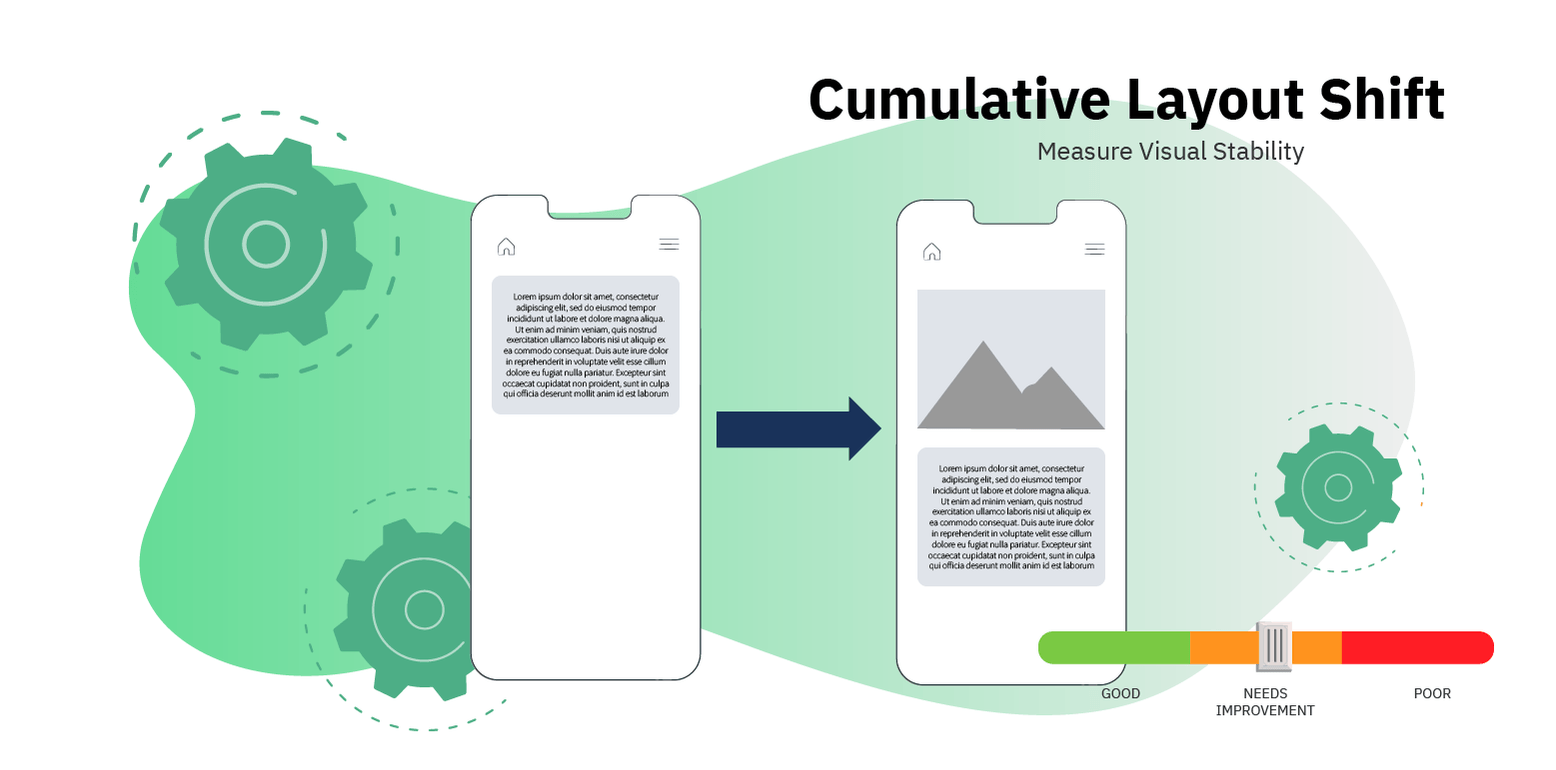
One of the fastest ways to lose user trust is when a page moves while someone is reading or clicking.
This happens more often than most business owners realize:
- A banner loads late and pushes content down
- An image appears without reserved space
- A sticky header suddenly expands
- A font swaps after text is already visible
Even small movements create frustration. Users hesitate, misclick, or abandon the page entirely.
In 2026, Google became far more sensitive to these movements, especially on mobile. Tiny shifts that were ignored before are now detected as poor experience.
Business impact:
If users feel the page is “unstable,” they are less likely to trust your brand, complete a form, or finalize a purchase.
Case Study #1: Layout Stability and Conversion Growth
A large eCommerce platform noticed users abandoning product pages despite acceptable load times. The issue wasn’t speed, it was layout shifts caused by late-loading images and promotional banners.
After reserving fixed space for images and banners:
- Pages stopped “jumping”
- Users scrolled more confidently
- Conversion rates increased noticeably within weeks
The takeaway:
A stable page feels professional. Professional pages convert better.
2. Slow Interaction That Makes the Site Feel “Heavy” (INP Failure)
A site can load quickly and still feel slow.
Why? Because interaction matters.
When a user clicks a menu, taps a filter, or opens a form, they expect an instant response. In 2026, Google focuses heavily on this moment.
The most common cause is JavaScript overload:
- Marketing tools
- Chat widgets
- Tracking scripts
- Animations
- Feature-heavy themes
All of these compete for the browser’s attention, especially on mobile devices.
Business impact:
When a site feels unresponsive, users subconsciously assume:
- The site is unreliable
- The checkout might fail
- The form submission might not work
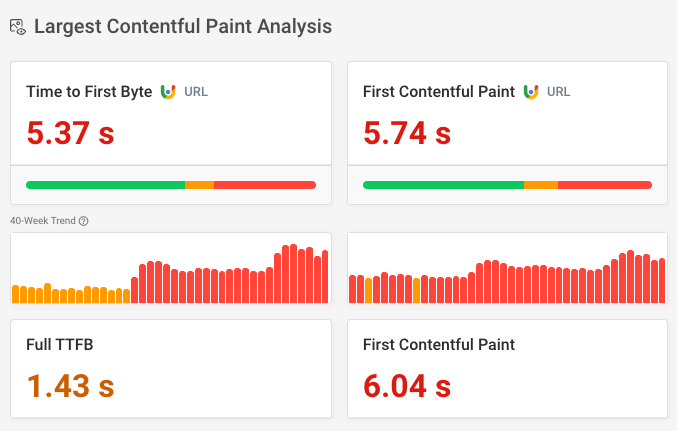
3. Important Content Loads Too Late (LCP Failure)
From a user’s perspective, a page is “loaded” when the main message appears—not when everything finishes loading.
That main message is usually:
- A hero image
- A headline
- A product image
- A key value proposition
Many websites delay this content by loading sliders, background videos, large CSS files, and non-essential scripts first.
In Core Web Vitals in 2026, Google expects the most important content to appear first.
Business impact:
If users wait too long to understand what your page offers, they bounce, often before they scroll. This is where SEO information architecture comes into play.
Case Study #2: Faster First Impression, Better Engagement
A content-driven website optimized only one element: the hero section.
They prioritized loading the headline and main image first, while delaying everything else. No redesign. No new content.
The result:
- Pages felt instantly usable
- Average time on page increased
- Bounce rate dropped noticeably
Common Failures vs Real Fixes (Simple View)
| Problem | What the User Feels | What Actually Fixes It |
| Page jumps while scrolling | “Something is wrong” | Reserved space for images & banners |
| Clicks feel delayed | “This site is slow or broken” | Reduce scripts, delay non-essential tools |
| Main content loads late | “Why am I waiting?” | Preload hero content, simplify layout |
How Core Web Vitals Improvements Translated Into Real Business Results?
A mid-sized service-based website was receiving consistent organic traffic, yet its business results didn’t reflect that visibility. Despite ranking well for competitive keywords, the site struggled to convert visitors into qualified leads—especially on mobile devices.
The Situation
Before optimization, user behavior showed clear signs of friction:
- 68% bounce rate on key landing pages
- Average time on page: 54 seconds
- Mobile conversion rate: 1.1%
- Form completion rate significantly lower on mobile than desktop
While page load time appeared acceptable in testing tools, real users experienced something different. Pages felt unstable while scrolling, interactions were not instant, and the main message of the page appeared later than expected.
The Core Web Vitals Issues
The performance analysis revealed three primary problems:
- Layout instability (CLS):
Promotional banners and fonts loaded late, causing visible content shifts during scrolling and form interaction. - Slow interaction response (INP):
Multiple tracking and marketing scripts delayed user interactions, especially when clicking form fields or navigation elements. - Late-loading main content (LCP):
On mobile devices, the hero headline and primary call-to-action appeared several seconds after the page began loading.
These issues didn’t crash the site—but they quietly reduced user confidence.
What Was Changed
The business did not redesign the website, rewrite content, or increase traffic.
The changes were purely experience-focused:
- Fixed dimensions were assigned to all images and banners to prevent layout shifts
- Non-essential scripts were delayed until after first user interaction
- The hero headline and primary CTA were prioritized in the loading sequence
No new tools were added. Some features were actually removed.
The Results (Within 30–45 Days)
After implementing these improvements, user behavior changed noticeably:
- Bounce rate decreased by 21%
- Average time on page increased to 1 minute 38 seconds
- Mobile conversion rate increased from 1.1% to 1.9%
- Form completion rate increased by 34%
- Traffic volume remained the same
The increase in leads came entirely from better engagement—not more visitors.
Key Takeaway
Core Web Vitals optimization didn’t improve business performance by attracting new users.
It worked by removing friction from the user journey.
When the site felt stable, responsive, and predictable, visitors stayed longer, trusted the brand more, and completed actions more often.
The Fixes That Actually Work in 2026
Successful websites no longer chase performance scores.
They focus on UX SEO first.
They:
- Remove unnecessary features instead of adding more
- Prioritize clarity over animation
- Load content before marketing tools
- Design layouts that don’t surprise users
Reducing complexity—not adding more technology—is what wins in 2026.
This approach aligns perfectly with any Technical SEO Checklist 2026, where Core Web Vitals sit at the intersection of SEO, UX, and conversion optimization.
Where Tools Like AIO (AIOSEO) Fit In
For business owners, tools like AIOSEO help translate technical data into actionable insights.
Instead of digging through developer reports, these tools:
- Highlight performance risks
- Flag layout instability
- Connect Core Web Vitals issues with SEO impact
They don’t replace good decisions, but they make those decisions clearer and faster.
Core Web Vitals Are About Confidence
Core Web Vitals in 2026 are not about pleasing Google.
They are about making users feel confident while using your site.
A confident user:
- Scrolls calmly
- Clicks without hesitation
- Completes actions more often
If your website feels fast, stable, and responsive—even on average mobile devices—you are already ahead of most competitors.
And that’s exactly what Google is rewarding.
Trusted Sources & References
- Google Search Central – Core Web Vitals documentation
- web.dev (by Google) – Performance and UX best practices
- Moz – SEO, UX, and ranking impact analysis
- Ahrefs – Performance metrics and search behavior insights